
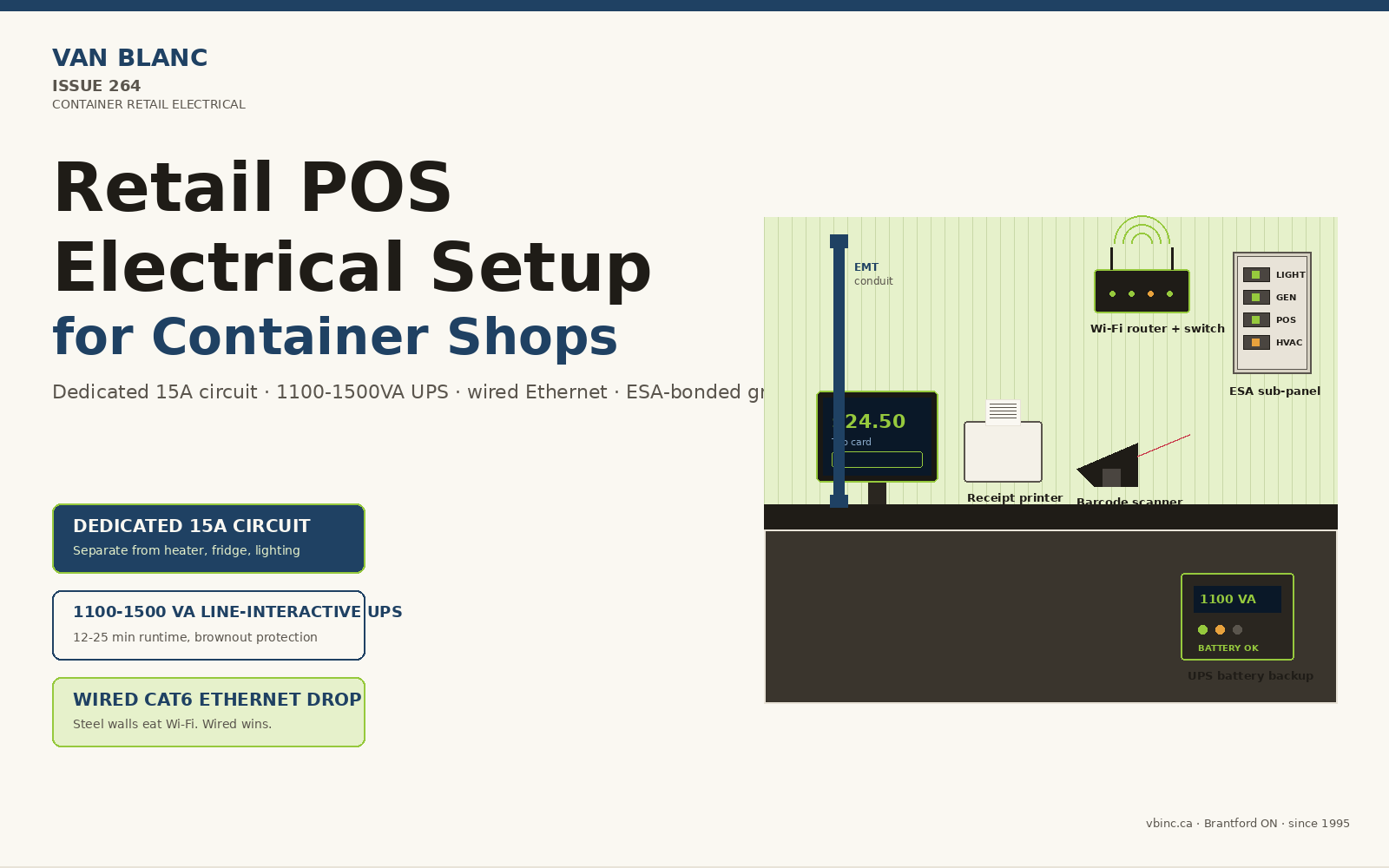
Quick Answer: A container retail POS electrical setup for Ontario runs each terminal on a dedicated 15A circuit with an 1100-1500VA UPS, ESA-ready panel, wired Ethernet drop, and a separate conduit for low-voltage data. Typical small-shop POS wiring is a modest add-on scope that sits on top of the base container build, and what it costs depends on panel size, conduit approach, and whether refrigeration is in scope. The LeBlanc family has run Van Blanc Ent. Inc. in Brantford since 1995, with 140+ verified Google reviews at 4.9 stars and 1-3 day Ontario delivery. Call the yard for a same-day quote tailored to your site.
In this guide
- Why is container retail POS electrical its own problem?
- Does a container retail POS need a dedicated circuit?
- What size UPS does a container retail till need?
- Is wired Ethernet or Wi-Fi better for the till?
- What does the panel, ground rod, and ESA inspection involve?
- How does conduit route inside a 20ft or 40ft container?
- Where do the terminal, printer, scanner, and drawer go?
- What do Square, Shopify, and Clover each need?
- What drives the cost of POS electrical on a retail container?
- What happens on delivery day and first power-up?
- Frequently asked questions
Reading time: about 13 minutes.
Why is container retail POS electrical its own problem?
Container retail POS electrical is its own problem because a shop running on a single shared cord drops transactions the moment a heater or fridge cycles on. The till stack needs an isolated circuit, conditioned battery backup, and a wired data path that corrugated steel cannot interfere with. All three are wired at the yard before the container leaves.
A pop-up retail container that runs on a single extension cord from the host site looks fine on opening day. Two months in, the operator calls us. The card terminal reboots every time the space heater cycles. The receipt printer drops a job during a busy Saturday. A thunderstorm browns the power for half a second and the cloud till loses its session. None of that is software. It is electrical.
Container retail POS setups fail in the same handful of ways: shared circuits with high-draw equipment, no battery backup, a Wi-Fi signal fighting through corrugated steel walls, and a power supply that was never specced for the actual hardware on the counter. The wiring behind a working Ontario shop container starts before the unit leaves our Brantford yard, and it ties into the wider pop-up shop build we walk operators through.
The four loads that have to coexist on a retail container
A working retail container carries four electrical jobs at once. Lighting (LED interior plus exterior signage). Comfort (heater in winter, small AC unit in summer). Refrigeration if the concept calls for it. And the till stack: terminal, receipt printer, barcode scanner, cash drawer, network switch, Wi-Fi access point, and the battery backup tying them together. Mixing the till onto the same circuit as the heater is the most common mistake we see. They get separated on the panel at the yard before delivery.
Paul LeBlanc, owner: “In my years in the container trade I have lost count of the operators who blamed their card processor for a problem that lived in the wiring. The till is not fussy software, it is a piece of hardware that wants its own clean circuit. Sort that out at the yard and most of the opening-week panic disappears.”
Does a container retail POS need a dedicated circuit?
A container retail POS needs its own dedicated circuit, kept off the lighting and HVAC. Ontario commercial electrical work follows the Canadian Electrical Code (CSA C22.1) as enforced by the Electrical Safety Authority. For a typical retail container POS, a dedicated 15A circuit on 14 AWG copper handles the load comfortably: a Shopify POS Terminal pulls 18 watts, a Square Stand draws up to 24 watts, a thermal receipt printer adds 30 to 50 watts in burst, and the network gear sits around 10 to 25 watts continuous. With UPS overhead added, the circuit sees 150 to 300 watts of real draw on a 1,800-watt rated line. Plenty of headroom.
The build steps up to a 20A circuit on 12 AWG for container concepts that run a backup register, or shops that plan to add a tablet kiosk and a tap-to-pay reader station within the first season. A 20A circuit costs a little more in materials than a 15A because of the heavier-gauge copper, takes the same labour to run if the wall path is open, and gives the operator room to grow without re-pulling wire.
The four-circuit minimum for a retail container
Even a small 20ft retail container should ship with at least four breakers: lighting, general receptacles, dedicated POS, and HVAC or refrigeration. Five if you add exterior signage on a switched circuit. Combining the till with the heater or fridge is the first thing that goes wrong.
What size UPS does a container retail till need?
A container retail till needs a line-interactive UPS rated 1,100 to 1,500 VA, and every retail container fitted out at the yard for a POS operator ships with one. UPS sizing uses two numbers: VA (apparent power) and watts (real power). Add up till-stack watts, multiply by 1.2 for headroom, never load the UPS above 80 percent of capacity.
| Component | Real watts | Notes |
|---|---|---|
| POS terminal (Shopify, Square, Clover) | 18 to 30 W | Tablet-style draws less than countertop all-in-one |
| Thermal receipt printer | 30 to 50 W burst, 5 W idle | Star or Epson industry standard |
| Barcode scanner | 2 to 5 W | USB-powered, parasitic load |
| Cash drawer | 1 W idle, 12 W on solenoid pop | Driven from printer port |
| Wi-Fi router or access point | 10 to 15 W | Plus PoE injector if applicable |
| Small switch (5-port) | 4 to 8 W | Wired POS backbone |
| Total typical draw | 70 to 120 W | Burst peaks 150 to 180 W |
A 1,100 VA / 660W UPS handles that load with the 80 percent ceiling, gives 12 to 25 minutes of runtime on a full outage, and protects the till from the brownouts that actually cause most cloud-POS session crashes. A 1,500 VA / 900W unit costs somewhat more and roughly doubles runtime, which matters in rural Ontario where outages last longer.
The brownout, not the blackout, is what kills tills
Most cloud POS session crashes are not caused by full power outages. They come from brief voltage dips, surges, and brownouts that the equipment is not built to ride through. A line-interactive UPS conditions power continuously and switches to battery in under 10 milliseconds. The till never sees the dip, the cloud session stays alive, the customer taps their card, the receipt prints.
Is wired Ethernet or Wi-Fi better for the till?
Wired Ethernet is the better choice for the card terminal on a retail container, with Wi-Fi kept for the customer-facing extras. Wi-Fi is fine for the customer-facing pieces of a retail container: browsing the catalogue, the loyalty signup tablet, music to the speakers. It is not fine as the only path between the card terminal and the internet. A wired Ethernet drop to the POS terminal is the single biggest reliability upgrade made on the electrical side of a retail container build.
The reasons are physical. Corrugated steel container walls attenuate 2.4 GHz and 5 GHz signals. A Wi-Fi access point mounted outside the container loses 6 to 10 dB punching back in. The channels the till is fighting for are crowded with whatever neighbours are running. A wireless signal that tested fine at install crumbles at 2pm Saturday when the host site fills up. A wired drop sees none of that.
Cat6 runs inside the container as part of the electrical build, terminated at a keystone jack behind the counter and patched into a small managed switch. The Wi-Fi access point still gets installed, on a separate port off the switch, so customer phones and tablet kiosks have coverage. The till never depends on it.
The two-link rule for serious retail
For container retail concepts that depend on the till being up all day, a wired drop plus cellular failover is the configuration that pays for itself in one busy Saturday. A small router with an LTE or 5G backup card and switches paths automatically when the primary internet drops. Most operators do not need it on day one; the moment the first concept-killing outage happens, it is the second thing they call us.
What does the panel, ground rod, and ESA inspection involve?
The panel, ground rod, and ESA inspection on a retail container come down to a correctly sized sub-panel, a bonded earth ground, and documentation the inspecting electrician can verify. Every retail container fitted with electrical at the yard leaves Brantford with a sub-panel sized to the load, a properly bonded ground, and the documentation an ESA-approved electrician needs to inspect the site connection. This panel and feed work is part of the wider at-the-yard conversion work, done under engineered drawings before delivery. The panel sits inside the container on the wall behind the counter, typically a 60A or 100A sub-panel depending on whether refrigeration and HVAC are in scope. Service feed from the host site is either a 30A or 50A weatherproof inlet.
Grounding is the piece most container conversions get wrong. A retail pop-up sitting on a gravel pad in a host site parking lot needs a dedicated ground rod driven into the earth at the connection point, bonded back to the sub-panel neutral at the correct location only. The yard’s electricians follow Canadian Electrical Code conventions for separately derived systems and document the bonding for the inspecting electrician. PCI-compliant payment hardware will not certify on a floating ground.
Christian LeBlanc, second-generation operator: “We get calls from operators a month into their lease saying the till keeps rebooting and the host site insists the power is fine. Nine times out of ten the ground is the problem. Container wired like a shed, ground rod missing, card reader rejecting half the chip transactions because the noise floor is too high. Doing it right at the yard costs little and saves a season.”
How does conduit route inside a 20ft or 40ft container?
Conduit inside a 20ft or 40ft container runs on the surface in steel EMT or gets buried behind a furred-out interior wall, because there is no wall cavity to hide it in. Container walls are corrugated 14-gauge Corten steel. You cannot run Romex behind drywall the way you would in a stick-framed building, because there is no behind. The amount of wall to work with changes with the box, and the practical differences between the common steel box lengths shape where receptacles and data drops can land. The two paths used at the yard are surface-mount EMT conduit (electrical metallic tubing, the steel-jacketed conduit you see in commercial back-of-house) or a furred-out interior wall that buries the wiring behind drywall or wood cladding.
Surface-mount EMT is faster, cheaper, ESA-friendly because everything is visible for inspection, and reads as appropriate for industrial-aesthetic concepts. Counter-mounted retail typically gets one EMT run along the wall feeding receptacles every 6 feet, a separate run for low-voltage data cable in non-metallic conduit, and a third run dropping to floor-level outlets for the heater and fridge. Furred-out wall builds bury the wiring behind 2×3 strapping, insulation, and drywall or plywood; they cost more on a 20ft container because of the added framing and finishing labour, and they read as a more finished retail interior. Either approach can be built at the yard.
The Ontario host site reality
Most retail container pop-ups in Ontario lease space from a host site that provides a single 30A or 50A 240V outlet at the slab edge. STACKT Market in Toronto, Distillery District event spaces, farm-market sites in Niagara, the conservation-area festival circuits, all use roughly the same setup. The container is built to accept that feed cleanly: a weatherproof inlet on the exterior wall, the right twist-lock receptacle for the host site’s plug, and a short weather-rated whip from the inlet to the sub-panel.
Where do the terminal, printer, scanner, and drawer go?
On a retail container counter, the terminal, printer, scanner, and cash drawer each get their own outlet at counter height, driven by where staff stand and where the customer pays. The electrical layout follows the counter layout rather than the other way around. The operator gets asked three questions before any wire is run: which side of the counter does the staff member stand on, where does the customer queue, and where does the receipt hand off. The answers drive where the receptacles go.
A standard till workstation needs four outlets at counter height: POS device, printer, cash drawer (driven from the printer port but plugged in for solenoid power), and one spare for a scanner cradle or second device. A fifth outlet under the counter handles the UPS in a small ventilated cubby. A sixth at floor level behind the counter handles the network switch and Wi-Fi access point, mounted on a small shelf rather than sitting on the floor.
The six-outlet till workstation
- Counter height, behind terminal: POS terminal power
- Counter height, behind printer: Receipt printer power
- Counter height, beside drawer: Cash drawer (printer-driven, but plugged in)
- Counter height, spare: Scanner cradle, tap reader, or future tablet
- Under counter, ventilated cubby: UPS battery backup
- Floor level, behind counter: Network switch + Wi-Fi access point on shelf
Tap-to-pay readers are increasingly common in container retail. Most are Bluetooth-paired to the main POS device and charged on a USB cable. A small charging station built into the counter (two USB-C ports wired off a dedicated 5V supply on the under-counter outlet) keeps the readers ready without occupying a wall outlet that could feed something else.
What do Square, Shopify, and Clover each need?
Square, Shopify, and Clover all want the same dedicated circuit and UPS, but they differ in device count, network path, and burst draw. The three POS platforms most container retail operators in Ontario choose are Square, Shopify POS, and Clover. They look similar on the counter. Their electrical requirements differ in ways that matter for the wiring spec.
| Platform | Terminal power | Network requirement | UPS notes |
|---|---|---|---|
| Square (Terminal, Register, Stand) | Terminal: built-in battery, charges at 5V/2A. Register and Stand: up to 24W draw from supplied adapter | Wi-Fi or Ethernet (Register/Stand). Terminal can run on cellular | Lowest UPS demand because of built-in batteries on portable devices |
| Shopify POS (POS Go, POS Terminal) | POS Terminal charger: 5V/2A (10W) or 9V/2A (18W) minimum spec. Min 2A current | Wi-Fi standard. Ethernet via dock or external bridge | Wants stable conditioned power; sensitive to dirty supplies |
| Clover (Station, Mini, Flex) | Station Solo / Duo: full countertop, AC powered. Dedicated UPS available rated 120V/15A input | Wi-Fi or wired Ethernet. Cellular failover on supported models | Heaviest of the three; dedicated UPS strongly recommended on Station |
Practical implication: a Square-only operator can run lighter because Terminal and Reader carry their own batteries. A Shopify or Clover operator running a countertop all-in-one needs the full UPS, dedicated circuit, and conditioned-power treatment. The electrical is built to support whichever platform the operator chooses.
What drives the cost of POS electrical on a retail container?
The cost of POS electrical on a retail container is driven by panel size, conduit approach, the number of circuits and data drops, and whether refrigeration is in scope. Pricing varies with scope, panel size, conduit approach, and whether the build includes refrigeration. Rather than a single sticker number, the most useful way to think about a 20ft retail container POS build is in tiers: each step up adds capability and the work that goes with it. Here is what each tier includes:
| Scope | What drives the cost up at this tier | What it includes |
|---|---|---|
| POS electrical (basic) | Baseline tier: single circuit, one data drop, smaller UPS, fastest conduit method | Dedicated 15A circuit, 4 receptacles, single Cat6 drop, 1100VA UPS, surface-mount EMT, ESA-friendly documentation |
| POS electrical (standard) | Adds a second circuit, more receptacles and data drops, a larger UPS, plus active network gear | Above plus 20A backup circuit, 6 receptacles, dual Cat6 drops, 1500VA UPS, network switch, Wi-Fi access point |
| POS electrical (premium) | Adds cellular hardware and the framing or finishing labour of furred-out walls and task lighting | Above plus cellular failover router, furred-out wall conduit routing, dedicated charging station for tap readers, LED counter task lighting on separate circuit |
| Full retail container electrical | Largest scope: total load grows with lighting, signage, HVAC, and refrigeration, so the sub-panel and feed step up too | Above POS scope plus lighting, exterior signage circuit, HVAC circuit, refrigeration circuit if applicable, sub-panel sized for total load |
The electrical scope above sits on top of the base container, interior fit-out, and modifications (door cuts, window installs, insulation, paint). The starting point is always the steel box itself, and you can see which sizes and grades we have ready in the yard before any of the fit-out is layered on. The full all-in build cost for a small-shop container retail concept in Ontario depends on which of those pieces you add and how the container is finished, so the answer comes from a quote tailored to your configuration rather than a single sticker figure.
What happens on delivery day and first power-up?
On delivery day, the retail container arrives at the host site on a tilt-deck trailer, lands on the prepared pad, and the operator’s licensed electrician makes the final shore-power connection. We do not connect to the host site’s panel ourselves under Ontario’s ESA framework. What we deliver is a container with all internal wiring complete, sub-panel ready, weatherproof inlet installed, and a short whip ready to terminate.
First power-up sequence
- Visual inspection. Walk the interior with a flashlight. Confirm no wires pinched, no boxes open, no conduit fittings shifted in transit.
- Sub-panel main off. Confirm sub-panel main breaker and all branch breakers are off before host site tie-in.
- Host site connection. Licensed electrician completes shore-power tie-in and energizes the inlet.
- Main breaker on. Energize the sub-panel. Confirm phase and voltage if the panel has indicators.
- Lighting circuit first. Turn on lighting before anything else. Working lights confirm the panel is alive and grounded.
- POS circuit last. Plug the UPS in, let it self-test, then plug terminal, printer, and network into the UPS.
- Network test. Confirm Cat6 drop is live, switch indicators correct, terminal connects to the cloud.
- Test transaction. Run a test before opening. Confirm receipt prints, drawer pops, round-trip under 3 seconds.
Most operators are open to customers within 90 minutes of delivery. The retail POS electrical setup is meant to make day one boring: till works, receipt prints, customer pays.
Worth the drive to see the build
Every operator who has bought a retail container from us has walked the yard at 90 Morton Avenue East in Brantford before paying. We open the door and walk the panel, the inlet, and the conduit runs with you. Worth the drive for the quality, family customer service, thirty years of experience.
Ready to price your container?
Tell us the size and your postal code and we’ll send back an all-in number, container, delivery, and placement, usually within 1-3 days. No pressure, no mystery fees.
Family-run in Brantford since 1995 · 200+ containers in stock · 4.9★ across 140+ Google reviews · every box graded by a person, walk it before it lands.
Frequently asked questions
What size UPS do I need for a container retail POS?
A 1,100 to 1,500 VA line-interactive UPS handles a standard small-shop POS stack. Real watts draw is typically 70 to 120 W, burst peaks 150 to 180 W. Do not load the UPS above 80 percent of rated capacity. A 1,100 VA unit gives 12 to 25 minutes runtime; a 1,500 VA unit roughly doubles that runtime for a modest step up in cost.
Do I need a dedicated circuit for my container POS?
Yes. A dedicated 15A circuit on 14 AWG copper, separate from lighting and HVAC, is the standard. Sharing the till circuit with a heater or fridge is the most common cause of mid-day reboots and dropped transactions. The dedicated circuit isolates the POS stack from other load fluctuations.
Is Ethernet or Wi-Fi better for a container retail terminal?
Wired Ethernet is always more reliable for the card terminal. Container steel walls attenuate Wi-Fi, and crowded venue networks fight for bandwidth at peak hours. Run a Cat6 drop to the terminal as the primary link, keep Wi-Fi for tablets and the loyalty kiosk, and add cellular failover for high-stakes concepts.
How much does container retail POS electrical work cost in Ontario?
It depends on the tier. A basic POS build on a 20ft container covers a dedicated circuit, four receptacles, a single data drop, and an 1100VA UPS. A standard build adds a backup circuit, dual data drops, a larger UPS, and active network gear. A premium build adds cellular failover and furred-out conduit. The biggest cost drivers are panel size, conduit approach, and whether refrigeration is in scope, and the figure quoted is the electrical scope only, separate from the base container and fit-out. Call the Brantford yard for a quote tailored to your configuration.
Does my container retail POS need an ESA inspection?
The final connection between host site service and container inlet is licensed electrician work under Ontario’s Electrical Safety Authority framework. The interior wiring done at the yard follows Canadian Electrical Code conventions and is documented so the inspecting electrician can verify bonding, grounding, and panel schedule without surprises.
Can I run a container retail shop on a single extension cord from the host site?
You can plug a single device in that way for a one-day event. Running a full retail shop with till, printer, lighting, heater, and fridge off an extension cord is unsafe and typically prohibited by the host site’s own electrical schedule. A proper shore-power inlet with a weatherproof 30A or 50A twist-lock receptacle is the standard.
How long does it take to install POS electrical in a retail container?
Interior electrical work on a 20ft retail container with standard POS scope takes 18 to 26 hours of licensed electrician labour, typically completed across three to four days in our Brantford yard. Final shore-power tie-in at the host site adds two to four hours on delivery day.
Do Square, Shopify, and Clover need different electrical setups?
The dedicated circuit and UPS are the same across all three. Differences sit in device count, network requirements, and burst draw. Clover Station Solo and Duo run heaviest and benefit most from a 1,500 VA UPS. Square Terminal and Shopify POS Go carry built-in batteries that absorb brief dips on their own.
What happens if the power goes out mid-transaction?
With a properly sized UPS, nothing visible to the customer. Terminal, printer, network switch, and Wi-Fi access point all stay live for 12 to 25 minutes on the 1,100 VA unit, the cloud session does not drop, the receipt prints. If the outage extends past battery runtime, the UPS alarms before shutdown so the operator can close the till session cleanly.
Can I add more circuits later if I expand the concept?
Yes. The sub-panel is sized for the operator’s stated scope plus 30 percent headroom by default, so a small-shop concept that starts with four circuits can grow to six or seven without a panel swap. Larger expansions typically need a panel upgrade or second sub-panel, which can be retrofitted at the yard.
Related build context
A retail container is only as good as the layout it serves. Operators speccing the POS electrical usually plan the front-of-house in the same breath, from storefront cuts to the change-room build-out we detail for clothing concepts and the customer-facing display surfaces (see Related Reading below).
Sources
- Electrical Safety Authority. (2024). Ontario Electrical Safety Code (OESC), 28th edition. esasafe.com/role/oesc
- Canadian Standards Association. (2024). CSA C22.1 Canadian Electrical Code, Part I. csagroup.org
- Shopify. (2026). POS Terminal hardware requirements and power specifications. help.shopify.com
- Square Community. (2024). Power requirements for Square Stand and Square Terminal. community.squareup.com
- North Payment Solutions. (2025). Wired vs. wireless terminals: which is the best fit for your business flow. north.com
Reach Van Blanc in Brantford
We have been supplying and modifying shipping containers across Ontario since 1995. Our warehouse is at 90 Morton Avenue E in Brantford, and we deliver right across the province on a cash-on-delivery basis.
Van Blanc Ent. Inc., 90 Morton Ave E Unit 1B, Brantford, ON N3R 7J7. Call +1 888-509-6658.
If you are planning a container retail concept and want to walk through the POS electrical specifics, come down to the Brantford yard. We will walk the panel, the inlet, and the conduit runs on a finished build before you commit.